
If you want a solution to Asus Zenfone 3 Max ZC520TL FRP Bypass then here you are in the right place, here I share a step by step tutorial that will help to unlock FRP from your phone very easily. FRP is a newly added security feature to modern-day Android phones, After the hard reset process, it will ask the user to put the last active Gmail account active in the phone to verify the real owner of the device. No doubt, it is one of the great features for Android to protect user data and phone. So follow the below process very carefully.
FRP mean factory Reset Protection and it added on Android 5.0, 6.0, 7.0, 8.0, 9.0, 10 version. FRP is automatically enabled when a user added a Google Account for the very time to their phone. Once it enabled then its protect the device from unauthorized access after the Factory reset.
After the factory reset process, you have to log in with the same Gmail account that you set up on your phone before the factory reset. In case, if you also forget the login ID and Password then Droidsolution.com gives you a free safe solution to bypassing Google Account from your phone.
You can easily bypass Zenfone 3 Max FRP Unlock with these free FRP bypass tool and APK and follow the below guide carefully. so download the FRP Bypass APK from below and unlock your phone very easily within a seconds.
Note: This method we successfully applied to Asus Zenfone 3 Max ZC520TL (MT6737T) (MT6737M)…
Download Asus Zenfone 3 Max (ZC520TL) FRP File:-
File Name:- Asus Zenfone 3 Max FRP File.zip
Size: 20MB
How to Flash: Instructions
How to Bypass FRP lock Asus Zenfone 3 Max ZC520TL
- Download & extract the Zenfone 3 Max FRP File & tool on your computer.
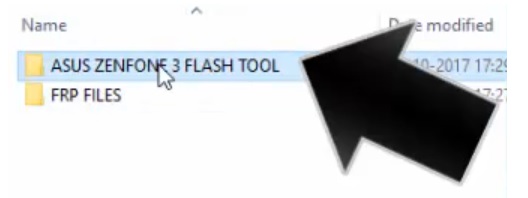
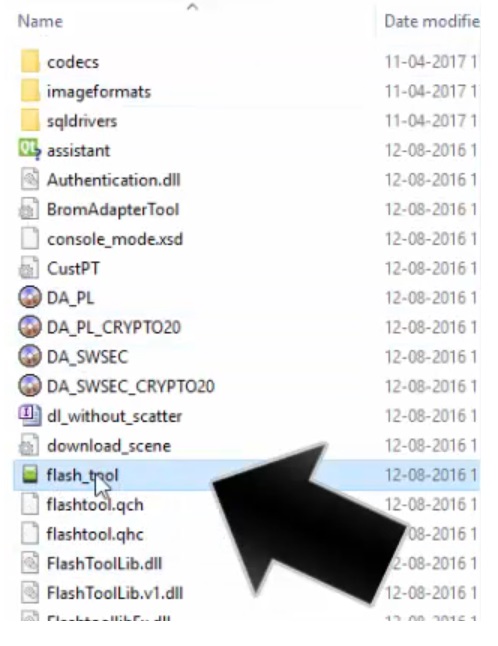
- Open the FRP tool folder and Run SP Flash Tool.exe.
- Goto the “Download” tab.
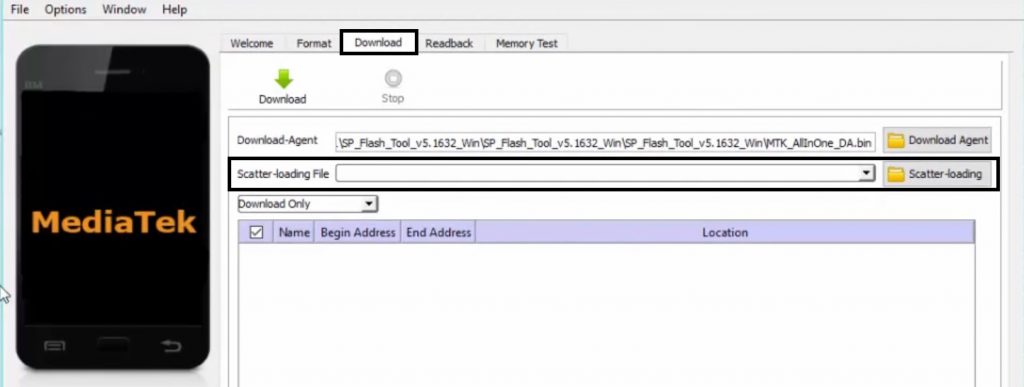
- Click “Choose” on the “Scatter-loading File” tab.
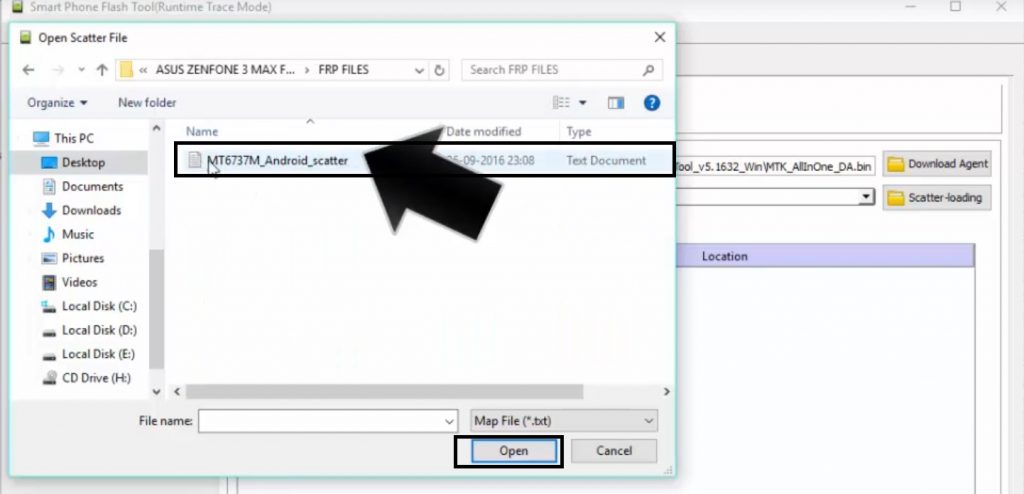
- Now choose the Scatter-file and from the FRP file folder.
- Now go to the Format tab.
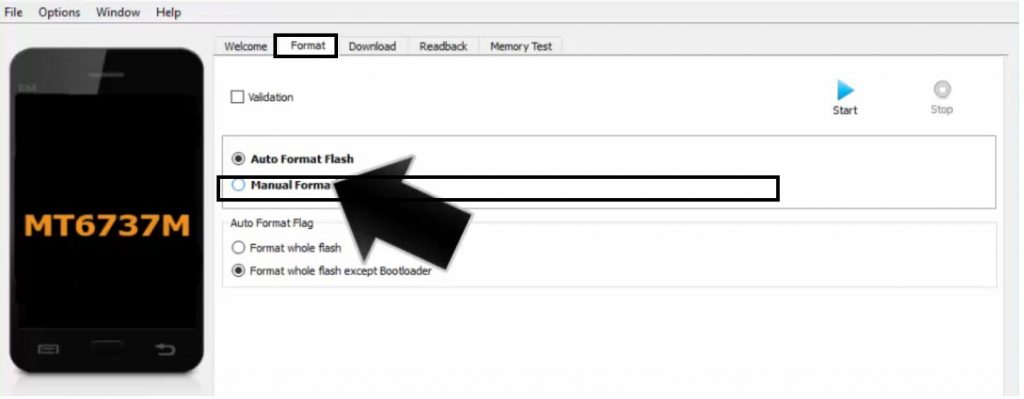
- Select the Manual Format Flash option.
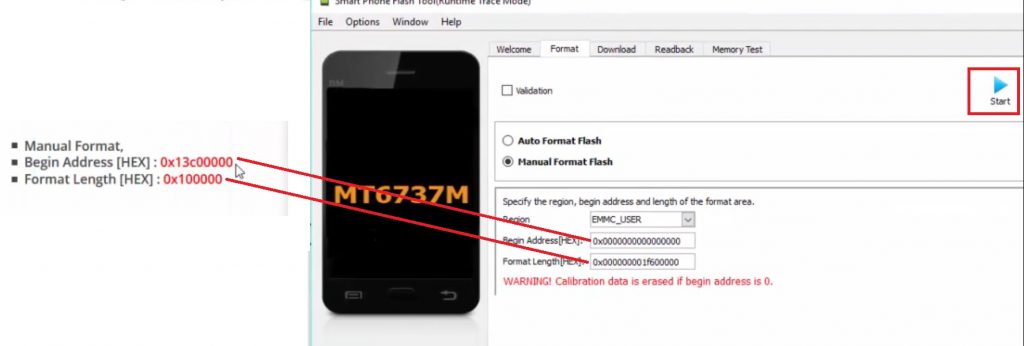
- Copy and paste the below FRP address code.
- Start_addr: 0x13c00000
- End_addr: 0x13c00000
- Click Start.
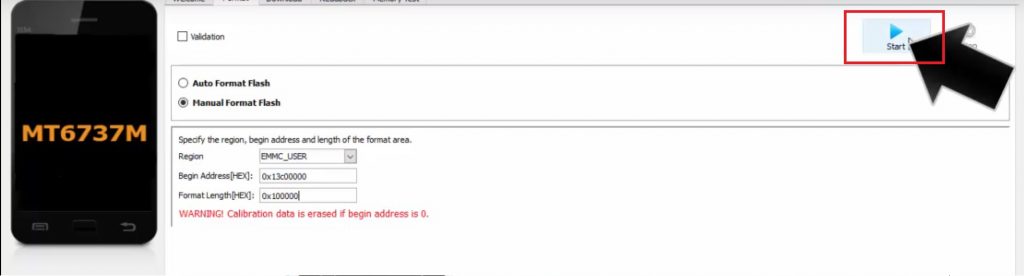
- Now Turn Off your Asus Zenfone 3 Max.
- Press Volume Down and connect your device to Computer.
- Make Sure: If you getting any error while flashing, then you can try other scatter file, we posted 2 scatter file here you can try both of them.
- It will detect your phone and start flashing.
- Wait for the finish.
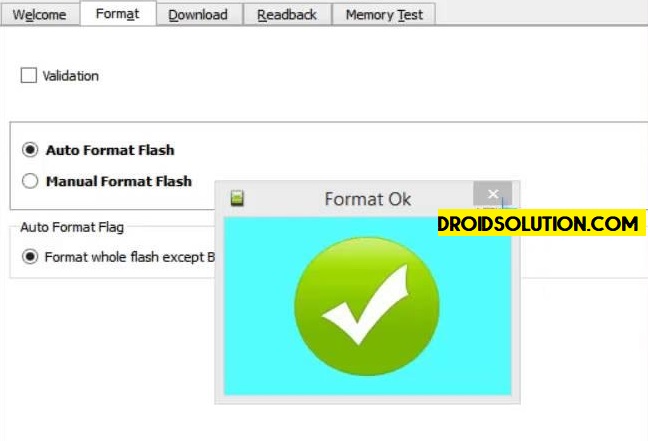
- When Flashing Completed, you will get a success window on the SP Flash Tool.
- Disconnect and Power On your Phone.
- That’s it.
[Download: –Firmware File] [USB Driver:-USB Driver]
Subscribe Our Channel For More Interesting Videos Daily (On Youtube):-SUBSCRIBE
Read More: Nokia 3 FRP Bypass With FRP & Tool
Thanks for visiting us, Comment below if you face any problem, we will try to solve your problem as soon as possible.
